Shared workspaces need flexible equipment that can adapt quickly to different users, desk sizes, and working styles. A desktop converter can add sit-stand functionality without replacing the existing desk.
We selected 10 desk converters for shared workspaces across compact, spacious, dual-monitor, corner, manual-lift, and gas-spring designs to help you find the right balance of capacity, adjustability, and footprint.
Best 10 Desk Converters for Shared Workspaces Picks for 2026
Compact Lift
VIVO Manual 32-Inch Desk Converter

- 31.5-inch dual-monitor surface
- 4.5- to 20-inch manual height range
- Minimal assembly with keyboard tray
Best For: Shared desks needing a compact sit-stand upgrade
Spring-Stable Setup
FLEXISPOT 32-Inch Desk Converter
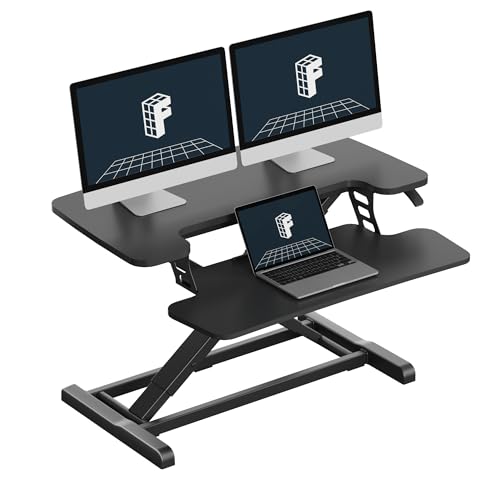
- Mechanical spring lift system
- 33-pound top-surface capacity
- Nearly assembled with keyboard tray
Best For: Shared workstations with frequent manual height changes
Wide Monitor Space

- 42-inch dual-monitor surface
- 4.5- to 20-inch adjustment range
- Synchronized wide keyboard tray
Best For: Shared desks with wide dual-monitor setups
Fully Assembled Heavy-Duty Pick
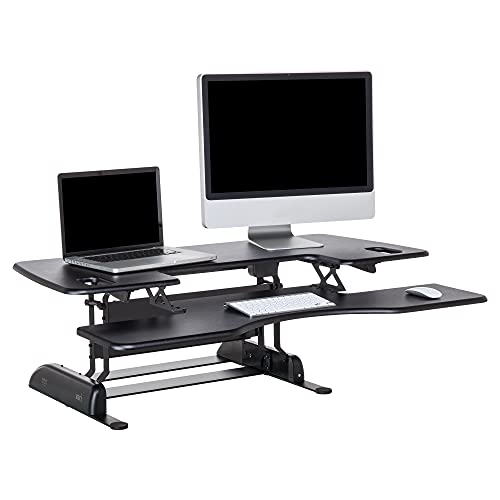
- 48-inch dual-monitor upper tier
- 11 height settings with spring lift
- Fully assembled with stability bars
Best For: Large shared desks needing a stable, ready-to-use converter
Wide-Workspace Standout
VIVO Standing Desk Converter, 48" Black Top

- 47.6-inch surface for dual monitors and laptops
- 33-pound desktop capacity with steel frame
- Height adjusts from 4.5 to 20 inches
Best For: Shared offices with large dual-screen setups
Flexible Office Pick
37-Inch GasSpring Standing Desk Converter

- 37-inch surface supports dual-screen setups
- Pneumatic adjustment from 5.9 to 18.9 inches
- Desktop capacity reaches 37 pounds
Best For: Mid-size shared office and study workstations
Corner-Desk Specialist
VIVO Dual Tier Corner Converter, 43"

- 43.3-by-28.3-inch surface for corner setups
- Dual pneumatic springs adjust from 6 to 17 inches
- Works with corner or regular desks
Best For: Shared corner workstations with deep desktop space
Dual-Monitor Spring-Lift Pick
FLEXISPOT 36-Inch Desk Converter

- 36-inch surface fits dual monitors and accessories
- Mechanical spring lift avoids common gas-spring issues
- Supports up to 33 pounds on the top
Best For: Shared offices with dual-monitor setups
Space-Saving Value Pick
VIVO 28-Inch Manual Desk Converter

- Compact 27.6-by-15.8-inch work surface
- Pneumatic lift adjusts from 4.9 to 17.2 inches
- Desktop supports up to 28.6 pounds
Best For: Compact shared desks and smaller setups
Maximum Workspace Pick
FLEXISPOT 40-Inch Desk Converter
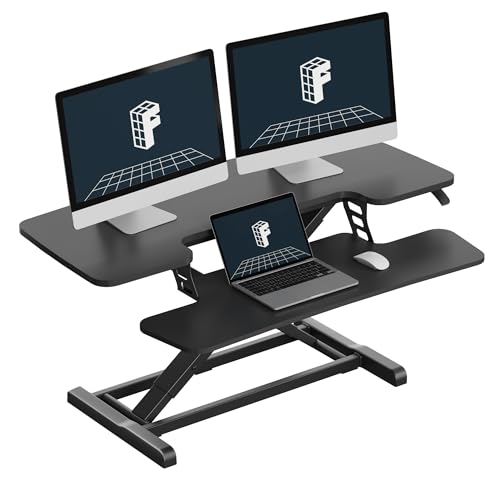
- 40-inch surface supports multi-device layouts
- Mechanical spring lift offers smooth height adjustment
- Top supports up to 33 pounds
Best For: Hot desks needing maximum workspace
Compact Lift – VIVO Manual 32-Inch Desk Converter
For shared workspaces that need a compact option, this VIVO converter adds sit-stand flexibility without requiring a replacement desk. Its 31.5-inch surface accommodates dual monitors, while the included keyboard tray moves with the platform.
Best For: Shared desks where footprint, simple setup, and dual-monitor support matter.
Pros:
- 31.5-inch surface provides room for dual monitors.
- Height adjusts from approximately 4.5 to 20 inches with lift assist.
- Includes a synchronized keyboard tray and requires minimal assembly.
- Steel construction supports up to 33 pounds and includes a three-year warranty.
Cons:
- The 33-pound desktop capacity may limit heavier multi-device setups.
- Manual adjustment requires users to reposition the converter between seated and standing work.
This is a practical desk riser for teams sharing standard desks, especially when users need a straightforward, space-conscious way to alternate between sitting and standing.
Spring-Stable Setup – FLEXISPOT 32-Inch Desk Converter
This FLEXISPOT converter is designed for shared workspaces where several users may adjust the station throughout the day. Its mechanical spring lift system, reinforced steel frame, and nearly assembled design support a stable, low-fuss sit-stand setup.
Best For: Teams seeking smooth manual adjustment and a durable dual-monitor workstation.
Pros:
- Mechanical spring system is designed for smooth, stable height adjustment.
- Reinforced steel frame supports up to 33 pounds on the top surface.
- Keyboard tray holds up to 4.4 pounds and supports a more natural arm position.
- Arrives nearly assembled for quick setup.
Cons:
- The supplied notes describe the model as 32 inches while one feature description references a 36-inch riser, so buyers should verify the exact size.
- Manual adjustment may be less convenient than an electric converter for frequent transitions.
The spring-based mechanism and quick setup make this a sensible option for hot desks, provided the listed dimensions match the available shared workspace.
Wide Monitor Space – VIVO 42-Inch Desk Converter
When shared workspaces need more room for monitors and accessories, this 42-inch VIVO converter offers a broad standing surface while still sitting on an existing desk. The synchronized keyboard tray and straight-up lift design help keep the workstation organized as height changes.
Best For: Shared desks with dual monitors or wider equipment layouts.
Pros:
- 42-inch surface provides ample room for dual monitors.
- Raises from 4.5 to 20 inches using a manual lift-assist mechanism.
- Wide keyboard tray moves in sync with the desktop.
- Steel frame supports up to 33 pounds on the desktop.
Cons:
- The wider footprint requires adequate desk depth and width.
- Keyboard tray capacity is limited to 4.4 pounds.
- Manual adjustment is less automated than powered alternatives.
This converter is a strong fit for collaborative offices where users share large monitor setups and need generous surface area without installing a full standing desk.
Fully Assembled Heavy-Duty Pick – VariDesk Pro Plus 48
For shared workspaces that prioritize a wide, ready-to-use platform, the VariDesk Pro Plus 48 provides a 48-inch upper tier and a separate lower deck for keyboards and accessories. Its spring-assisted lift, heavy base, and stability bars are suited to frequent team use.
Best For: Large shared desks supporting dual monitors and users who want no assembly.
Pros:
- 48-inch upper tier offers generous room for two monitors.
- Lower deck holds a keyboard, mouse, and additional items.
- Eleven height settings provide repeatable manual positioning.
- Arrives fully assembled and uses a spring-loaded lift with dual handles.
Cons:
- At 57 pounds, it is substantially heavier than the other listed converters.
- Its wide 48-inch footprint may not suit smaller shared desks.
- The listed maximum load is 45 pounds, so heavier equipment should be checked against that limit.
The Pro Plus 48 is the most substantial choice here for team environments that need a broad, stable platform and want to avoid assembly, provided the desk can accommodate its size and weight.
Wide-Workspace Standout – VIVO Standing Desk Converter, 48" Black Top
For shared workspaces that need to accommodate dual monitors and a laptop, this desk converter for shared workspaces provides a broad 47.6-inch surface and smooth sit-stand adjustment. Its pneumatic lift moves the workstation from 4.5 to 20 inches, while the included keyboard tray rises with the main surface.
Best For: Shared offices needing a spacious converter for dual-monitor or laptop setups.
Pros:
- Large surface supports dual monitors and laptops.
- 33-pound desktop capacity with a sturdy steel frame.
- Adjusts from 4.5 to 20 inches with lift assist.
- Requires minimal assembly.
Cons:
- Its 48-inch width requires a generously sized desk.
- The keyboard tray supports up to 4 pounds.
This VIVO model is a strong choice when shared users need generous equipment space and a wide height range. Confirm that each workstation has enough desktop depth and width before choosing it.
Flexible Office Pick – 37-Inch GasSpring Standing Desk Converter
This desk converter for shared workspaces offers a balanced footprint for rotating users, with a 37-inch surface suited to dual screens or a monitor-and-laptop setup. Its pneumatic lift adjusts from 5.9 to 18.9 inches, making it practical for offices that want flexible sit-stand positioning.
Best For: Shared workstations seeking a mid-size converter with straightforward pneumatic adjustment.
Pros:
- 37-inch surface supports dual screens or a monitor and laptop.
- Gas-spring lift adjusts from 5.9 to 18.9 inches.
- Desktop supports up to 37 pounds.
- Designed for offices, home workstations, and study desks.
Cons:
- The listed height range starts higher than some larger converters.
- Product details identify the color as “BlackA,” which may be less clear when coordinating office furniture.
With its moderate width and useful load rating, this converter fits shared environments where desk space varies. It is a practical middle-ground option, especially when users alternate between seated and standing work.
Corner-Desk Specialist – VIVO Dual Tier Corner Converter, 43"
For shared workspaces arranged around corners or L-shaped desks, this desk converter for shared workspaces provides a wide 43.3-by-28.3-inch surface. Dual pneumatic springs adjust the platform from 6 to 17 inches, and the keyboard tray rises with the main surface for a coordinated setup.
Best For: Shared offices using corner desks or needing a deep surface for monitor and laptop layouts.
Pros:
- Works on corner and regular desk setups.
- Large surface supports single or dual monitor configurations.
- Dual pneumatic springs provide lift assistance.
- Minimal assembly is required.
Cons:
- Its 28.3-inch depth needs substantial desk space.
- Desktop capacity is limited to 33 pounds.
- Height range is 6 to 17 inches.
This VIVO converter is especially useful when a shared workstation occupies a corner and users need more front-to-back room. Measure the desk carefully, since its deeper footprint can be demanding in compact offices.
Dual-Monitor Spring-Lift Pick – FLEXISPOT 36-Inch Desk Converter
For shared workspaces that need a dependable sit-stand setup, this FLEXISPOT is one of the more capable desk converters for shared workspaces. Its 36-inch surface accommodates dual monitors, while the mechanical spring lift provides smooth manual height adjustment without relying on a gas spring.
Best For: Shared offices and hot desks with dual-monitor workstation setups.
Pros:
- 36-inch surface offers room for dual monitors and accessories.
- Mechanical spring system is designed for smooth, stable adjustment and avoids common gas-spring concerns such as air leakage.
- Reinforced steel frame supports up to 33 pounds on the top surface.
- Arrives almost assembled, requiring only keyboard-tray attachment.
Cons:
- At 34.5 pounds, it may be cumbersome to move between shared stations.
- The keyboard tray supports 4.4 pounds, so it is intended for keyboard use rather than heavier equipment.
The combination of a wide dual-monitor platform, stable steel construction, and near-ready setup makes this a practical choice when several users need a consistent workstation upgrade. Confirm that the 36-inch footprint fits each shared desk before purchasing.
Space-Saving Value Pick – VIVO 28-Inch Manual Desk Converter
When shared desks are limited in depth or width, the VIVO 28-inch model keeps the footprint manageable while adding sit-stand flexibility. It uses a pneumatic spring lift, a two-tier surface, and a keyboard tray that rises with the desktop.
Best For: Compact shared workstations and single-user laptop-monitor setups.
Pros:
- 27.6-by-15.8-inch surface makes efficient use of limited desk space.
- Height adjusts from 4.9 to 17.2 inches with a straight-up lift design.
- Steel construction supports up to 28.6 pounds on the desktop.
- Requires minimal assembly beyond attaching the keyboard tray.
Cons:
- The smaller surface provides less room than the 36- and 40-inch alternatives.
- It is listed for a maximum of one compatible seat, making it a personal workstation rather than a multi-user desk.
This VIVO is a sensible option for shared environments where desk real estate matters more than expansive accessory space. Its lighter 25.3-pound build may also be easier to reposition than larger converters, while still supporting a dual-monitor setup according to the supplied specifications.
Maximum Workspace Pick – FLEXISPOT 40-Inch Desk Converter
For shared workspaces where users regularly switch between multiple devices, this 40-inch FLEXISPOT provides the most room in the group. The spacious platform is designed for dual monitors, laptops, and accessories, while its mechanical spring system supports smooth height changes.
Best For: Multi-device hot desks and collaborative offices that prioritize a large work surface.
Pros:
- 40-inch desktop gives multitaskers room for dual monitors, a laptop, and office accessories.
- Patented mechanical spring lift is designed for stable adjustment without common gas-spring performance concerns.
- Top surface supports up to 33 pounds, with a reinforced steel frame for stability.
- Near-ready assembly simplifies deployment across shared stations.
Cons:
- The 40-inch width requires a sufficiently large underlying desk.
- The keyboard tray is rated for 4.4 pounds, limiting it to lighter peripherals.
This is the strongest fit when shared-desk users need generous room rather than a compact footprint. Its broad platform and stable frame can support varied workstation layouts, but measure the destination desks carefully before standardizing it across an office.
How We Picked the Best Desk Converters for Shared Workspaces
We focused on practical features that matter when equipment is used by multiple people. Our comparison considers desktop width and depth, height-adjustment range, lifting method, keyboard-tray design, monitor capacity, stability, and how easily each converter fits on a shared desk. We also included several size classes so you can match the converter to a compact workstation, a dual-monitor setup, or a larger collaborative surface.
Because shared equipment is frequently repositioned, we gave particular attention to straightforward adjustment systems and layouts that accommodate different users without requiring a permanent desk installation.
Quick Comparison
| Best For | Recommended Type | What to Look For |
|---|---|---|
| Small shared desks | 28- or 32-inch converter | Compact footprint and easy height adjustment |
| Laptop users | Single-tier riser | Stable work surface and comfortable keyboard placement |
| Dual-monitor users | 37- to 43-inch converter | Wide top, sufficient depth, and strong lifting capacity |
| Large setups | 40- to 48-inch converter | Spacious surface and dependable stability |
| Corner workstations | Dual-tier corner model | Shape that uses corner space efficiently |
Key Buying Factors for Desk Converters for Shared Workspaces
Surface Size and Monitor Capacity
Measure the available desk before choosing a converter. A compact model may suit a laptop and keyboard, while dual monitors require more width and depth. Check the converter’s usable surface rather than relying only on the advertised overall width.
Adjustment Method and Height Range
Manual crank, gas-spring, and other lift systems offer different adjustment experiences. For a workspace used by people of different heights, prioritize a broad height range and controls that are easy to operate. A smooth lift can be especially useful when users switch positions often.
Keyboard Tray and Ergonomics
A separate keyboard tray can help keep the keyboard and mouse at a more comfortable level, but it also adds depth and may reduce leg clearance. Laptop users may prefer a simple open surface, while desktop users should check tray width and wrist position.
Stability, Weight, and Desk Compatibility
Confirm the converter’s weight capacity against your monitors, laptop, accessories, and mounting hardware. Leave room around the base for cables and verify that the existing desk is deep and strong enough to support the full unit.
Who Should Buy Which Desk Converters for Shared Workspaces?
Choose a 28- or 32-inch model for compact shared desks, hot desks, or laptop-focused workstations. These options conserve space and are easier to reposition.
Choose a 36- to 43-inch model if the workstation needs to support two screens or a laptop-plus-monitor arrangement. These provide a useful middle ground between capacity and footprint.
Choose a 40- to 48-inch model for users who need room for multiple monitors, larger keyboards, speakers, or paperwork. Measure carefully before buying, since larger converters can dominate a shallow desk.
Choose a corner design when the existing workstation is L-shaped or positioned in a corner. It can make better use of otherwise wasted space, but confirm that the shape matches the desk layout.
For most shared environments, the best choice is the smallest converter that comfortably supports the intended equipment. That approach preserves desk space, simplifies repositioning, and makes the sit-stand setup easier for more users to share.